top of page
Faculty
Digital Toolbox
Module 1:
Teaching & Learning
with AI
Lesson 2
Tool Tutorial
Read these steps to learn how to use NotebookLM.
You will have the opportunity to practice in Lesson 3.
Step 1: Go to https://notebooklm.google/
Step 2: Click Try NotebookLM. Sign in using a Google account.
Step 3: Add a source by uploading a file, a link, text, or doing a web search.
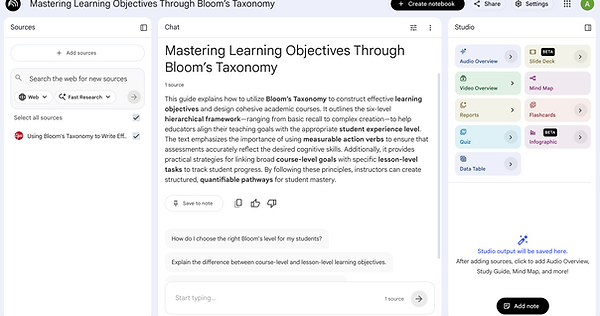
Step 4: View the results.
Step 5: Ask questions in the Chat with the AI.
Step 6: Generate AI study aids in Studio.

Tool Demonstration Video
Click the video below to watch a 2-minute demonstration of NotebookLM.

NotebookLM Demo Video
Now you are ready to start practicing in Lesson 3.
bottom of page